
 Simon
SimonManaging credentials for virtual machines has always been a balancing act between security, usability, and operational overhead. With the new native Microsoft Entra ID login for RDP connections directly through Azure Bastion, we’re entering a much cleaner, identity-first world.
Before looking at the new experience, it’s worth briefly revisiting the existing ways to authenticate through Bastion.
Contents
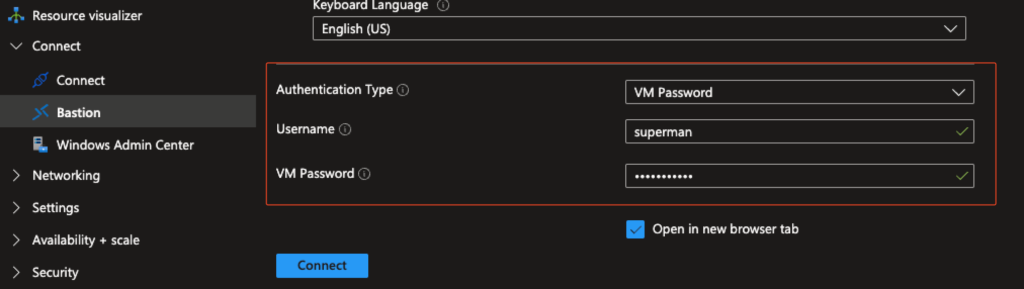
The Classic Approach: Manual Username + Password Entry
The most basic method for connecting to a VM through Azure Bastion has always been straightforward:
- A local user is created on the VM or joining the VM to an AD
- Bastion prompts for username and password
- Credentials are either typed or copy/pasted into the Bastion dialog
While simple, this approach comes with structural limitations:
- Manual handling increases error risk
- Password rotation becomes operational overhead
- You rely on local/AD accounts
In short: It works — but it’s legacy.
Using a Key Vault Secret: No Copy/Paste Needed
The second option improves the handling of credentials by removing manual interaction.
Instead of typing a password, Bastion allows referencing a password stored securely in Azure Key Vault.
This method offers clear advantages:
- No exposed credentials
- No manual copy/paste
- Seamless integration with secure stores
- Cleaner developer or DevOps workflows
However, fundamental limitations remain:
- A local user and password still need to exist
- You don’t want to store AD account passwords in a Key Vault
- Passwords must be created, stored, and managed
- Still no true identity-based access
This method optimizes the workflow — but it remains secret-based.
💡 Note: If you are still relying on secrets for VM access or/and want to learn more about securely storing secrets - their automatic rotation, and Terraform deployment, you can check out one of my previous blog post for a detailed guide (https://simonvedder.com/managing-secrets-in-terraform-from-bad-to-automated/).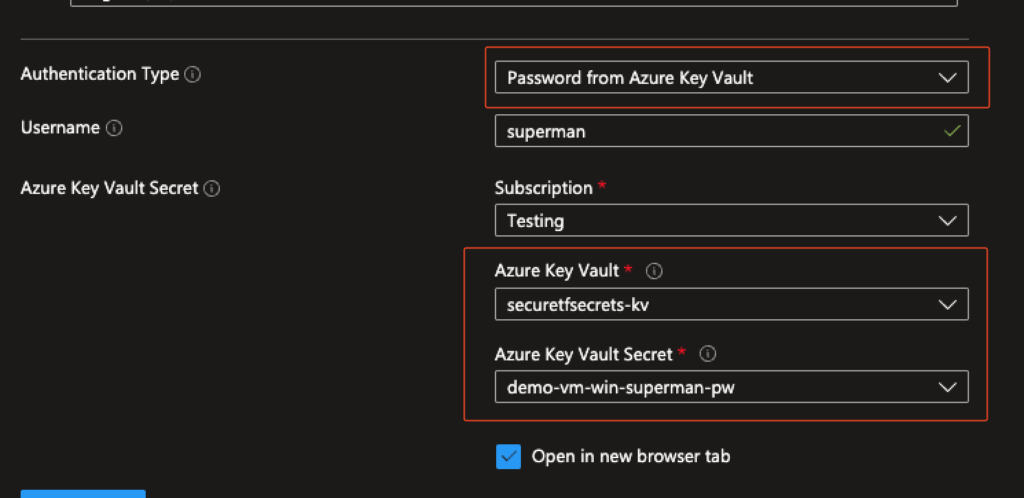
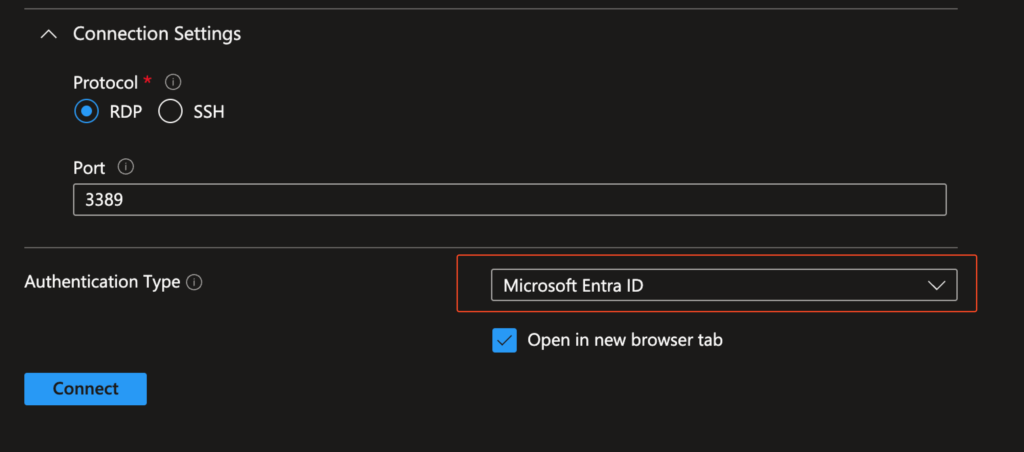
🌟 The New Public Preview: Entra ID Support for RDP in the Azure Portal via Bastion
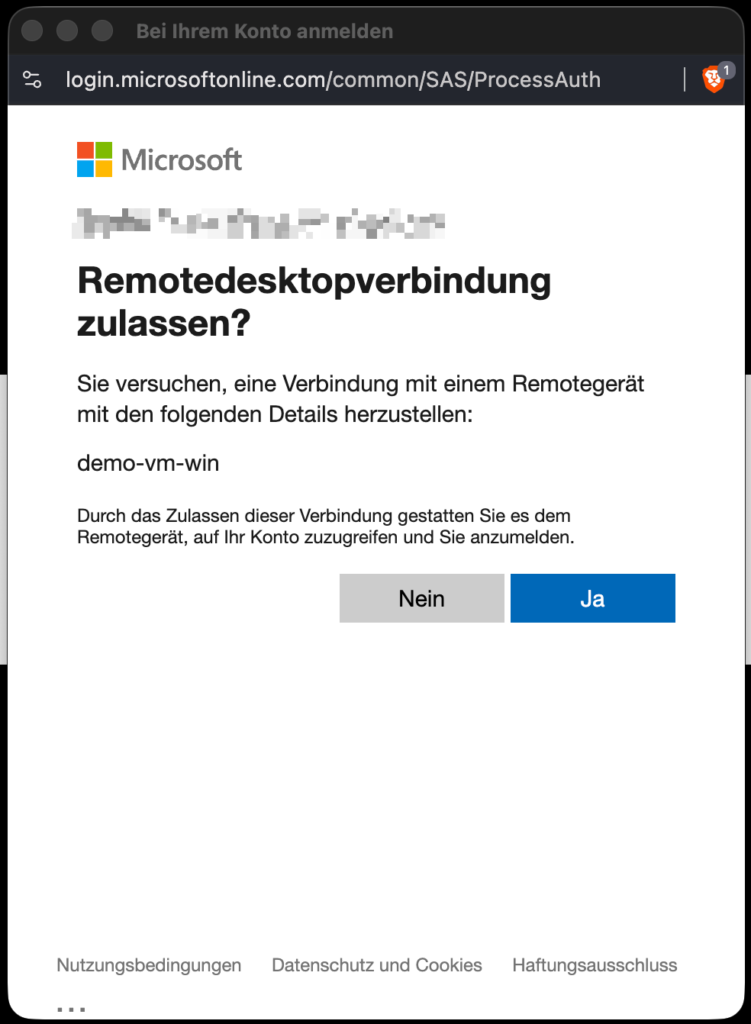
The preview improves the login flow in the Azure Portal by integrating Entra-based RDP authentication via the AAD Login Extension directly into the Bastion experience.
Prerequisites:
- AADLoginForWindows extension
- RBAC roles (Virtual Machine User Login or Virtual Machine Administrator Login)
What’s new:
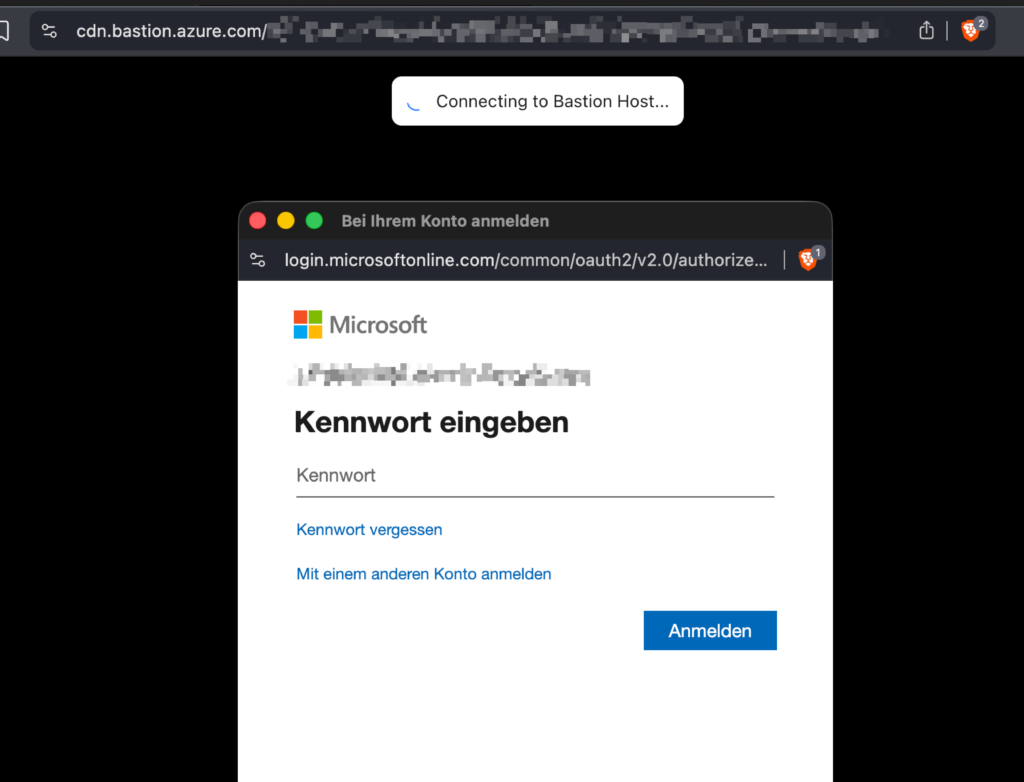
- Clean, guided login flow in the Azure Portal
- No prompt for local credentials
- No manual credential handling
- Seamless Entra authentication experience via Bastion
Why it matters:
The experience is now:
- More reliable
- MFA & Conditional Access
- Easier for users
- Fully integrated into the portal UI
- Aligned with identity-first access principles
- No copying passwords/secrets
- No selecting credential types manually
This is a step toward full native integration, even if the underlying mechanism still uses the extension.
Conclusion
Beyond the clear security benefits — centralized identity, RBAC enforcement, and no passwords or secrets required — it delivers a huge usability improvement.
But what I find particularly exciting about the new Entra ID login via Bastion is its impact on administrative access. Admins no longer need local accounts on VMs — they can log in with the Virtual Machine Administrator Login RBAC role. This simplifies quick admin access considerably, especially because RBAC roles are inherited, allowing you to grant users or admins access to all VMs within your scope.
More information:
- https://learn.microsoft.com/en-us/azure/bastion/bastion-connect-vm-rdp-windows
- https://techcommunity.microsoft.com/blog/azurenetworksecurityblog/public-preview-entra-id-support-for-rdp-connections-in-portal/4472675
What is your opinion on this new ability to connect to Azure VMs via Bastion?
