
If you’ve ever set up a service principal in Azure and thought “I’ll just use Contributor for now” — this is for you. It’s not carelessness, it’s that finding the exact right permissions takes time most people don’t have.
Palo Alto Networks Unit 42 puts the number at 99% of cloud identities being overprivileged. Personally I find that figure a bit strict — I assume it counts every unused permission, no matter how minor. But the underlying problem is real and worth taking seriously.
That’s why I built Least Privilege Studio for Azure — a free tool that helps you find exactly what you need, nothing more.
What It Does
Browse and Select Permissions
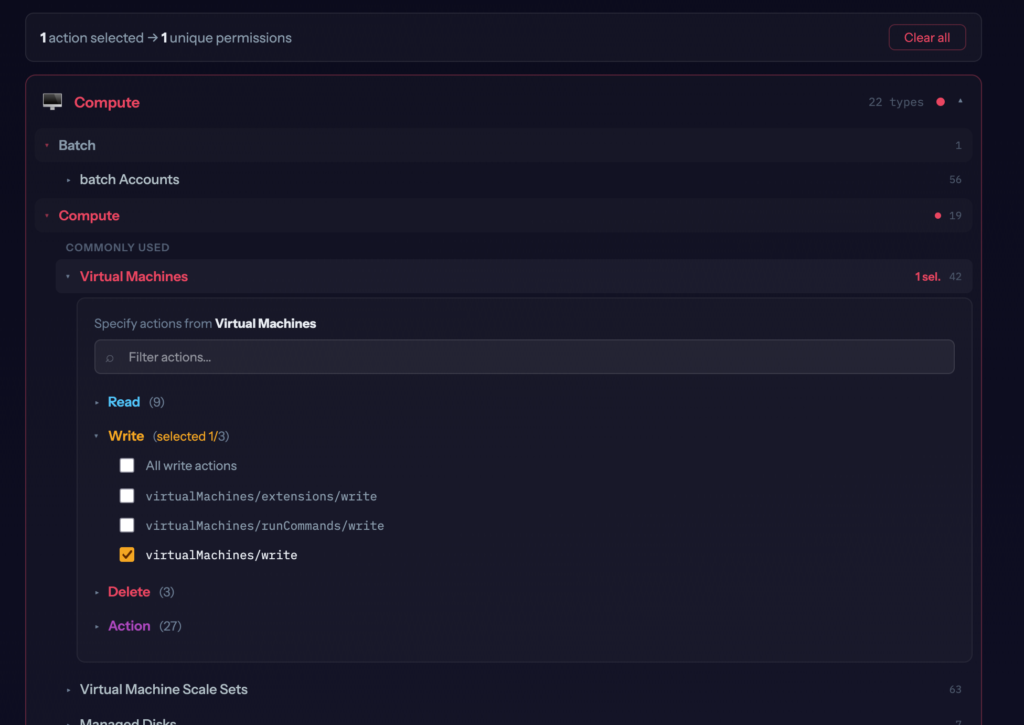
The tool organizes all Azure resource types into categories — Compute, Networking, Storage, Databases, and so on. Within each category you’ll find the most commonly used resource types at the top, and all others below.
Click on a resource type like Virtual Machines and you get a panel showing every available operation grouped by access level: Read, Write, Delete, and Action. Pick exactly what you need.
Search by Name, Shortcut, or Permission Path
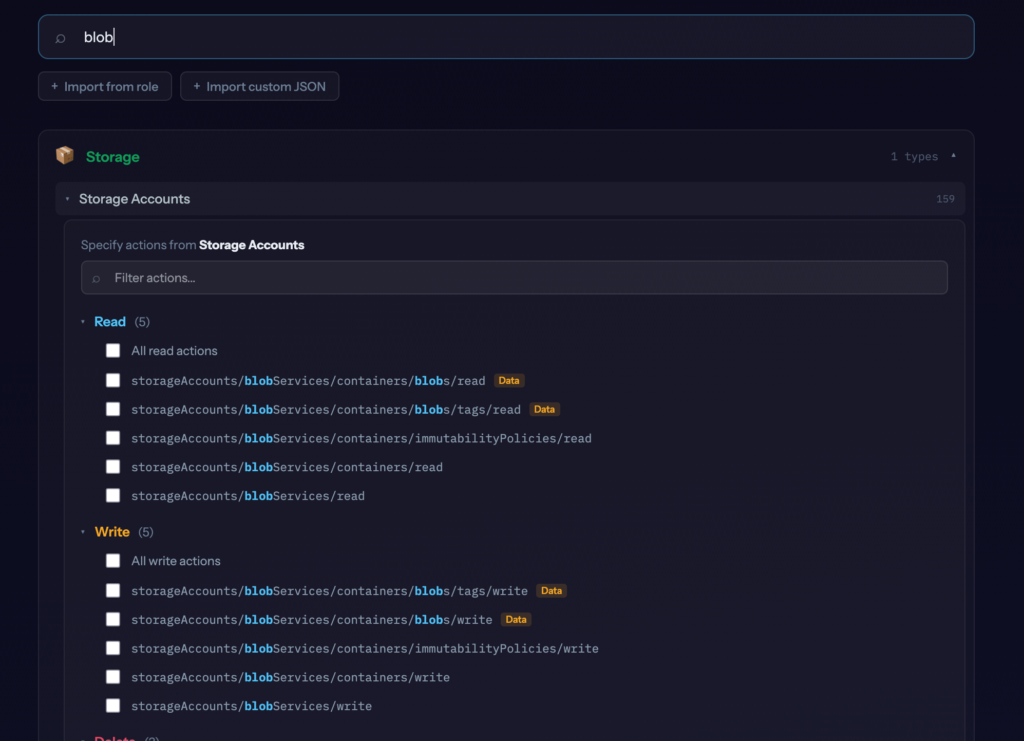
The main way to find what you need is to search by resource name — type virtual machine, blob, key vault, or load balancer and the results filter down to the relevant resource types. When your search term matches individual operations inside a resource type, that panel opens automatically and highlights the matching operations.
Shortcuts work too by the way: vm, nsg, aks, kv all resolve to the right resource type.
For more targeted lookups you can also search by permission path. Type /start and every resource containing a start action shows up — with the panel pre-filtered to those operations. Or type Microsoft.Compute/virtualMachines/login to find that specific permission directly.
Find the Least-Privilege Built-in Role
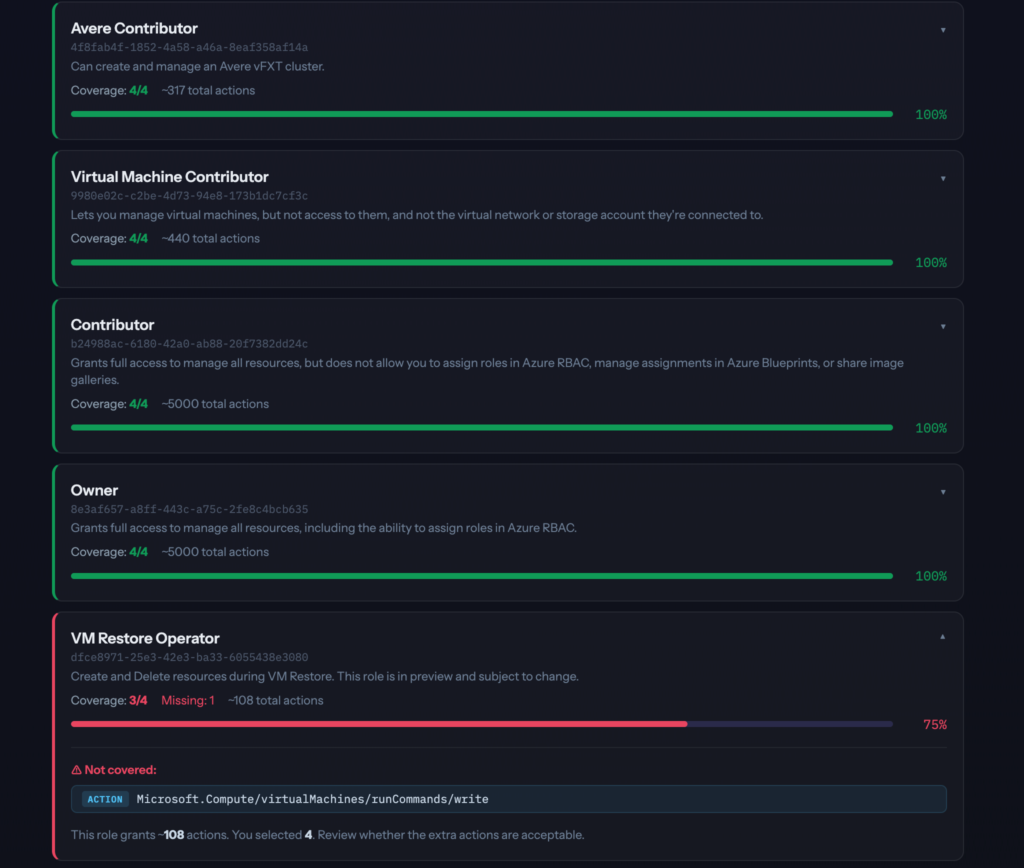
Once you’ve selected your permissions, the tool analyzes all 867 Azure built-in roles and shows you which ones cover your selection — ranked by coverage percentage.
Each result shows:
- How many of your selected permissions the role covers
- Which permissions it misses (if any)
- Roughly how many total actions the role grants (so you understand how much extra access it comes with)
- The role’s ID, ready to use in scripts or Terraform
This is useful not just for new deployments but also for auditing existing role assignments. If a service uses Contributor but only needs 4 permissions, this makes that visible immediately.
Generate a Custom Role Definition
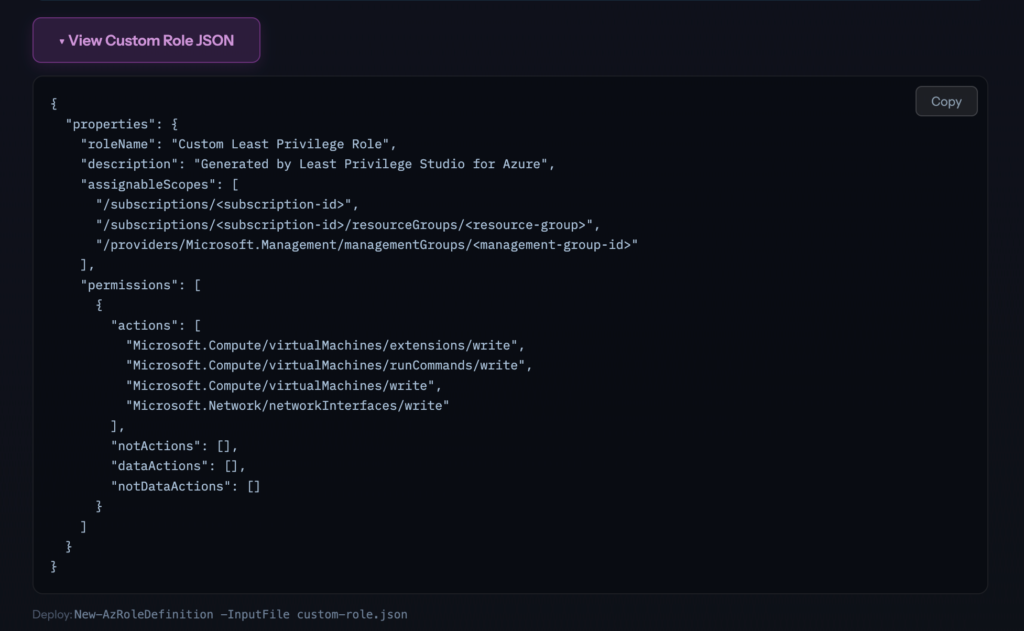
If no built-in role fits cleanly, the tool generates a ready-to-deploy custom role JSON in the correct Azure format:
{
  "properties": {
    "roleName": "Custom Least Privilege Role",
    "description": "Generated by Least Privilege Studio for Azure",
    "assignableScopes": [
      "/subscriptions/<subscription-id>",
      "/subscriptions/<subscription-id>/resourceGroups/<resource-group>",
      "/providers/Microsoft.Management/managementGroups/<management-group-id>"
    ],
    "permissions": [{
      "actions": ["Microsoft.Compute/virtualMachines/read", "..."],
      "notActions": [],
      "dataActions": [],
      "notDataActions": []
    }]
  }
}Deploy it directly:
New-AzRoleDefinition -InputFile custom-role.jsonYou can also remove individual permissions from the list before exporting — click the × next to any permission in the results section.
Import from a Built-in Role
Want to understand what a role actually grants? Or start from an existing role and trim it down?
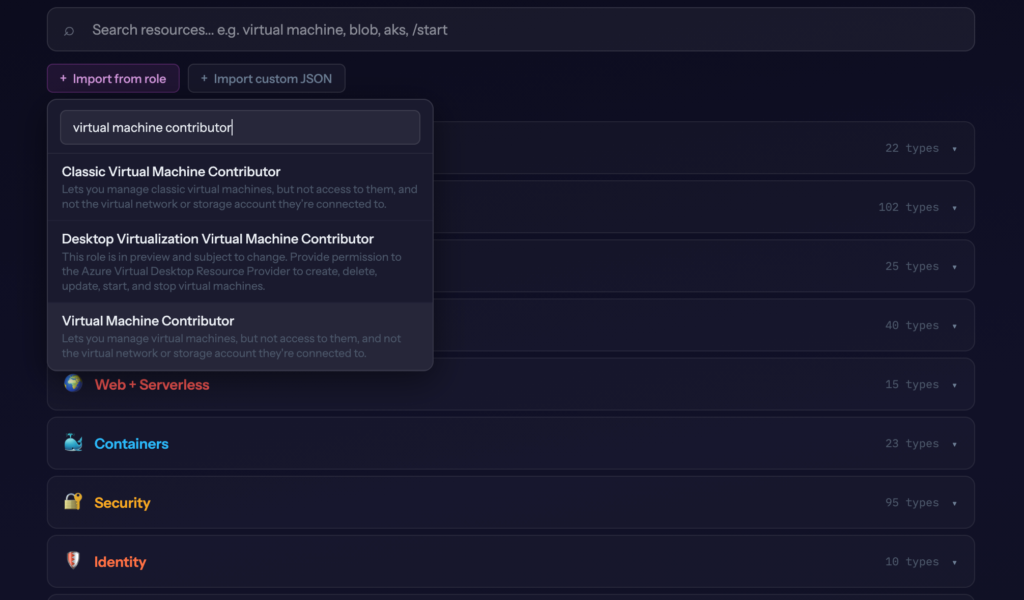
Click Import from role, search for any built-in role, and every permission it contains gets checked in the interface. From there you can deselect what you don’t need, see which other built-in role might be a better fit, and export a trimmed custom role.
Import from a Custom Role JSON
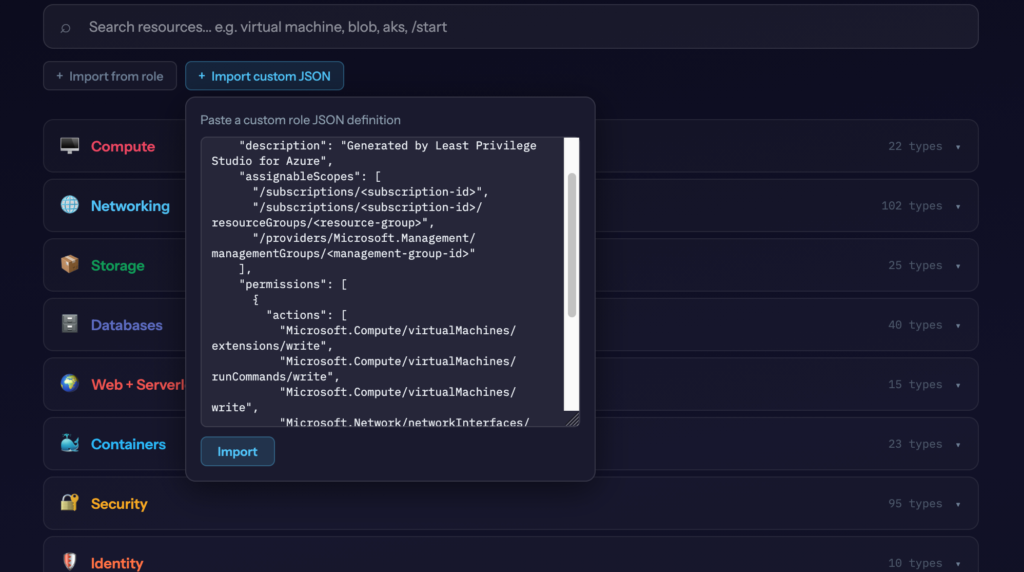
Already have a custom role definition? Paste it into the tool and it will check all the corresponding permissions. This is useful when you want to:
- See which built-in role most closely matches your custom role
- Expand an existing custom role by adding more permissions interactively
- Audit what a custom role actually grants
Combining Multiple Roles
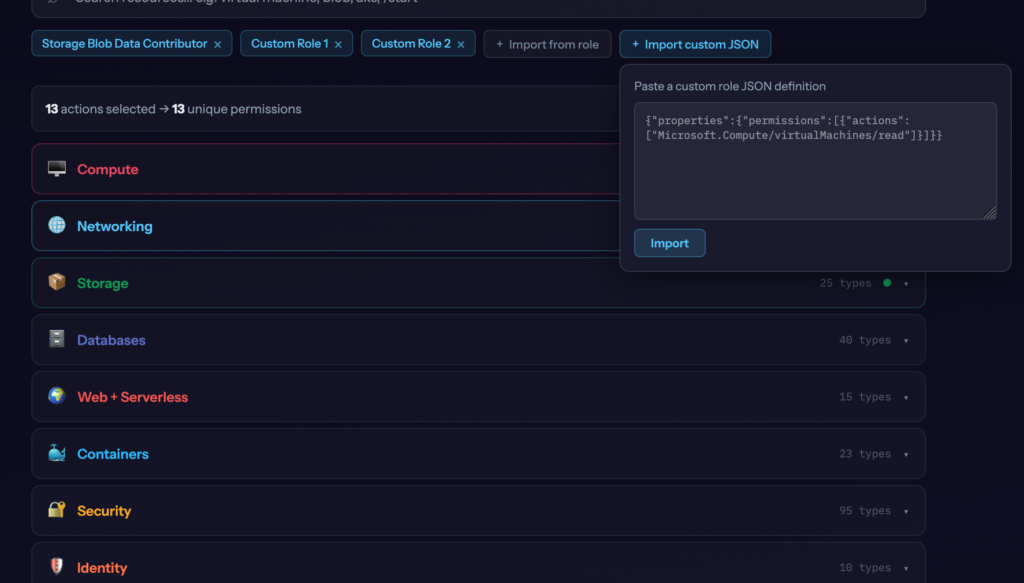
Imports are additive — each one adds to whatever is already selected, nothing gets replaced. That means you can combine multiple built-in roles, multiple custom role JSONs, or a mix of both.
Practical example: import Storage Blob Data Reader and Key Vault Secrets User, then manually add a couple of extra permissions on top. The tool shows you the combined permission set and which built-in role comes closest to covering the whole thing — or you export the merged result as a single custom role definition.
This is useful when a workload genuinely needs access across multiple domains and you want to understand the full picture before deciding whether to use multiple role assignments or consolidate into one custom role.
Based on Real Azure Data
The tool syncs directly from the Azure API — az role definition list and az provider operation list — every week via GitHub Actions. That’s 867 built-in roles and 18,000+ operations, kept current automatically.
This matters because Azure adds and changes permissions regularly. AI tools often lag behind here — their training data has a cutoff and the Azure permission surface changes frequently. The tool fetches from the source.
I Use It Myself
While building and testing this, I ended up using it for actual work. I generated a custom role for another project instead of reaching for Contributor. I used the import feature to check what a specific built-in role actually grants instead of search for it in Microsoft docs.
If you work with Azure regularly, it’ll probably be useful to you too.
Free and Open Source
Least Privilege Studio for Azure →
GitHub: simonvedder/least-privilege-studio
If you’re working on a project that needs a proper RBAC review, a custom least-privilege role architecture, or an Azure security assessment, feel free to reach out: info@simonvedder.com
Leave a Reply